

get in touch


For engineering teams, March brings two updates from JetBrains that point in the same direction – AI becomes more proactive inside the IDE and more portable outside it. JetBrains has released an experimental plugin that adds Recap and Insights to JetBrains IDEs, and they’ve also announced Junie CLI in Beta, positioning Junie as a standalone coding agent you can run in terminal-driven workflows.
Below is a summary of what changed, why it matters and how to try it.
Experimental AI features: Recap and Insights
JetBrains is testing a different kind of AI interaction in the IDE. Most AI features are reactive – you ask, they respond. Recap and Insights are designed to be proactive: they surface context and explanations without you having to prompt, which makes them useful when you’re switching projects or returning after a break, but also means they need a higher bar for trust and focus.
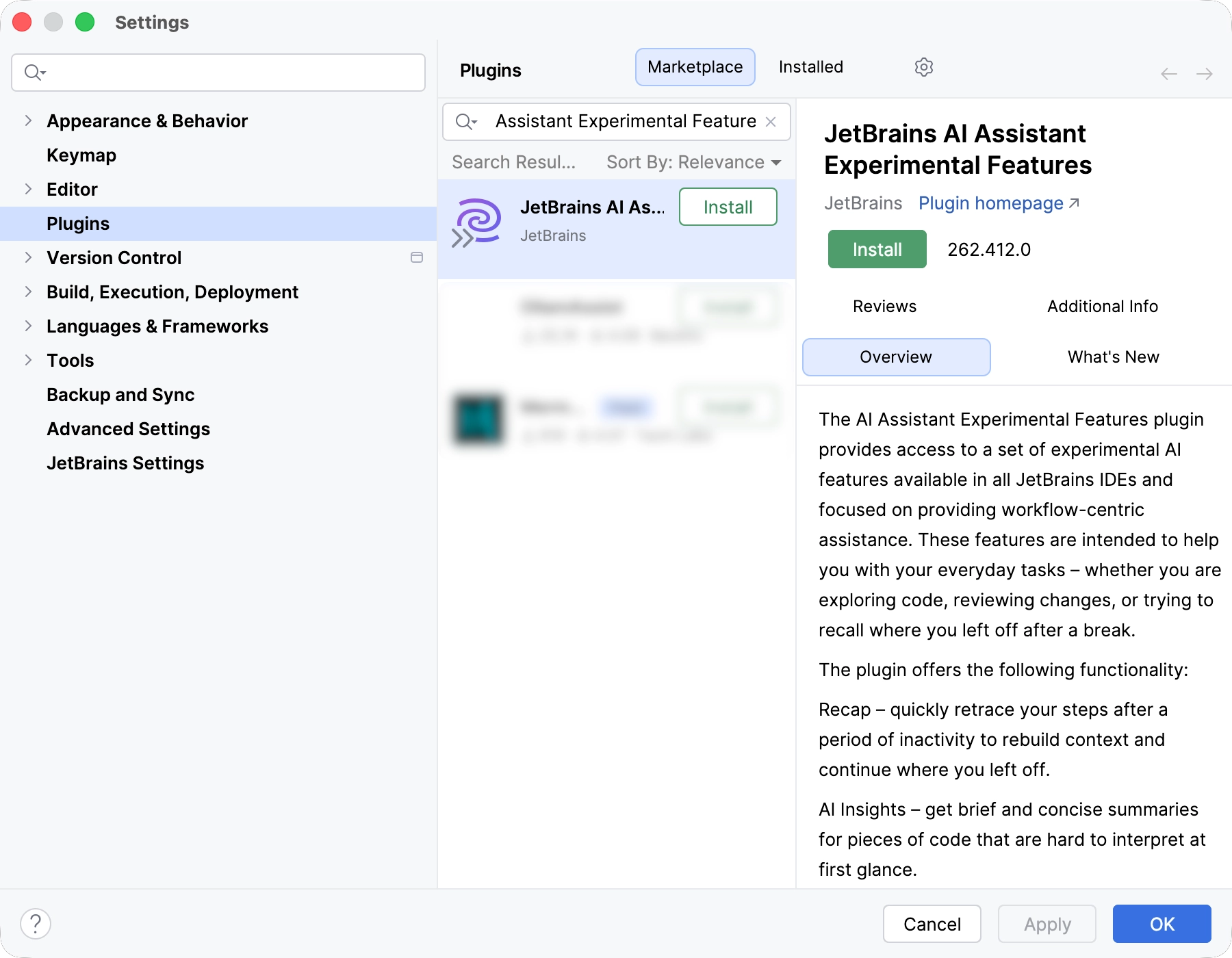
Image 1. Recap and Insights are shipped as an opt-in experimental plugin (Image source – JetBrains)
Recap – getting your context back fast
Recap is JetBrains’ “previously on…” for your codebase. It provides a compact summary of your recent activity – where you left off, what you were doing and what changed – in its own tool window. The idea is simple: reduce the time you spend reconstructing context after a long meeting, a weekend, or a switch between repositories.
Insights – one-line explanations, only where needed
Insights are short, one-line explanations for blocks of code that are easy to misread at first glance. JetBrains describes the feature as selective by design: it should highlight what’s genuinely non-obvious, not annotate everything. At launch, Insights are available only for Python and JVM languages.
Why this is shipped as a separate plugin
JetBrains is explicit about why these features are packaged separately. Proactive UI is harder to get right: an incorrect completion costs a keystroke, but an unwanted feature in your editor can drain attention and trust. Shipping Recap and Insights as a separate plugin makes the opt-in explicit and keeps the feedback loop tight while the interaction model matures.
How to try it
JetBrains says the features are available starting from the 2026.1 EAP by installing the JetBrains AI Assistant Experimental Features plugin. An active JetBrains AI Pro or Ultimate subscription is required, and the features use your existing quota. JetBrains also notes that enabling detailed data collection is required and that the plugin currently generates text in English only.
Junie CLI (Beta) – Junie outside the IDE
The second announcement is Junie CLI in Beta. JetBrains positions this as Junie evolving into a standalone agent you can use directly from the terminal, inside any IDE, in CI/CD, and on GitHub or GitLab. The intent is clear: developers do not live in one environment anymore, so the agent should not either.
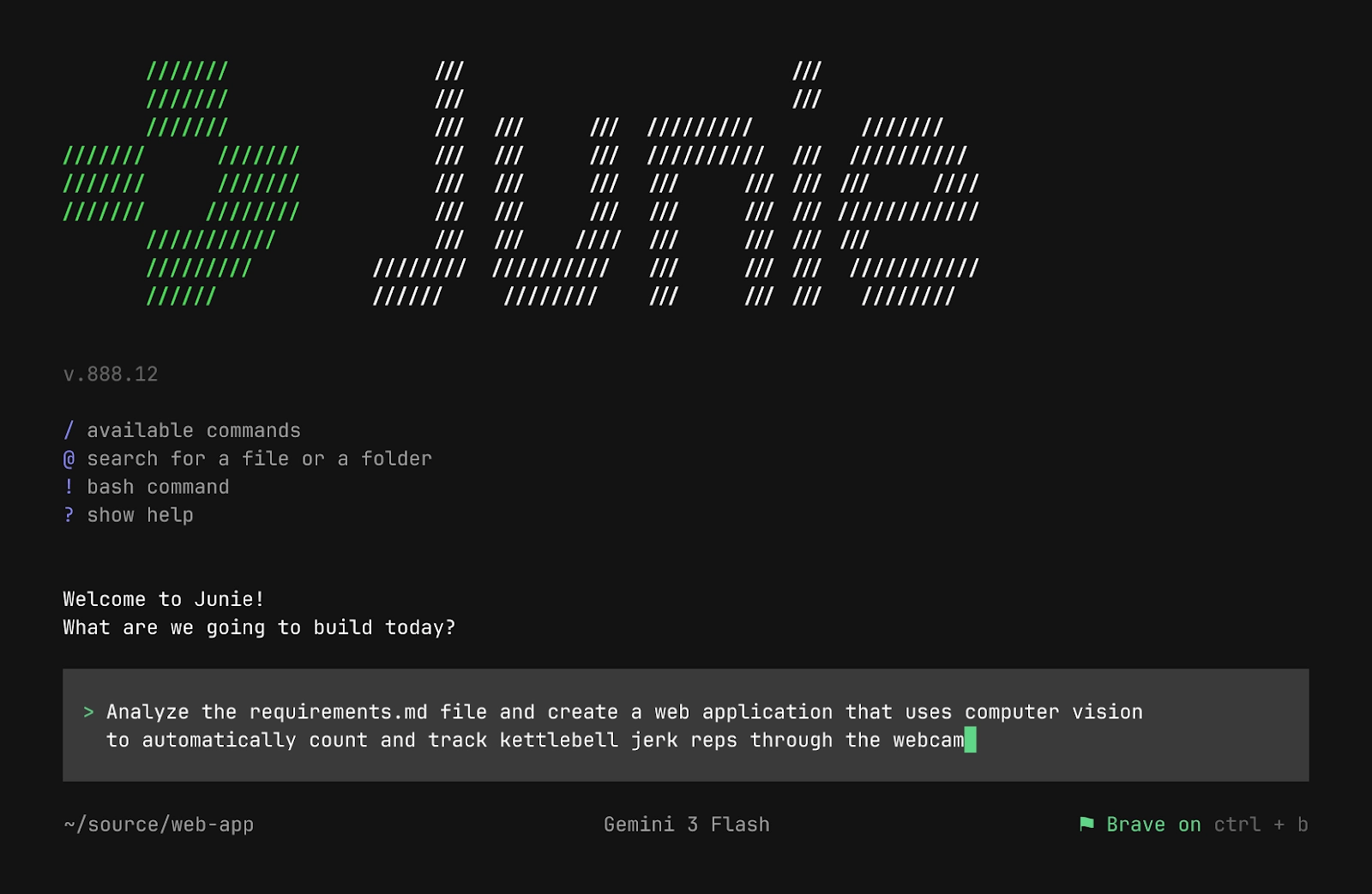
Image 2. Junie CLI runs in the terminal and is designed to work beyond JetBrains IDEs (Image source – JetBrains)
LLM-agnostic, with BYOK as a default posture
JetBrains describes Junie CLI as LLM-agnostic, supporting models from OpenAI, Anthropic, Google and Grok, with more to come as models are released. They also emphasise BYOK – Bring Your Own Key – as a way to let teams use their own model keys and align the agent with internal governance, compliance and cost controls.
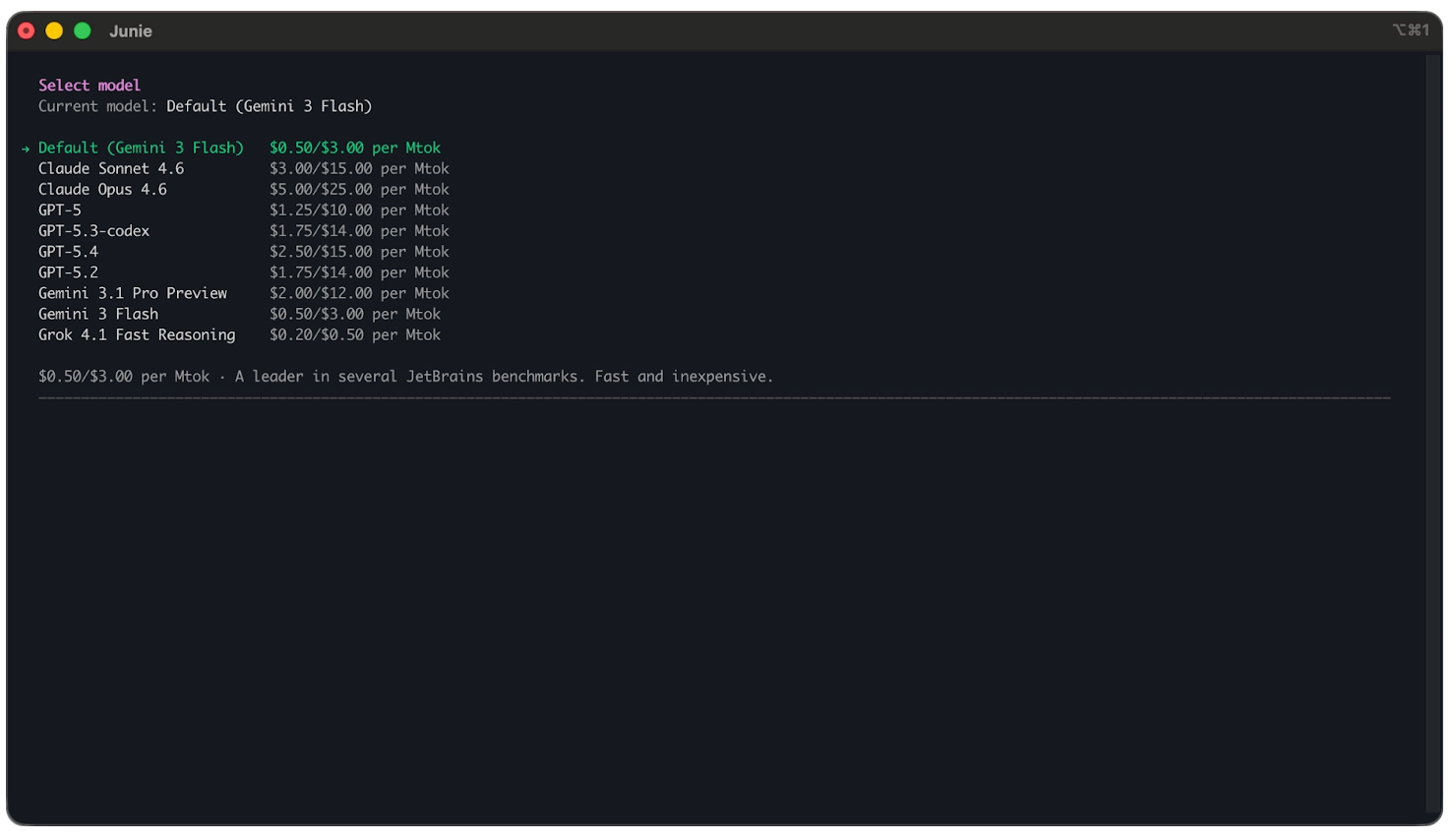
Image 3. Model choice and BYOK are built into Junie CLI (Image source – JetBrains)
There’s also a practical adoption hook: JetBrains says they’re offering free access to Gemini 3 Flash for one week, enabled by default, so teams can install Junie CLI and run a pilot before deciding how they want to fund ongoing usage.
What JetBrains highlights as core workflow behaviour
JetBrains focuses less on “chat in a terminal” and more on agent behaviour that fits real work:
- Real-time prompting – you can adjust instructions as the agent runs, rather than restarting the process
- MCP configuration – JetBrains describes an easier setup path and recommendations when MCP servers could help
- Next-task prediction – framed as proactive support based on project context
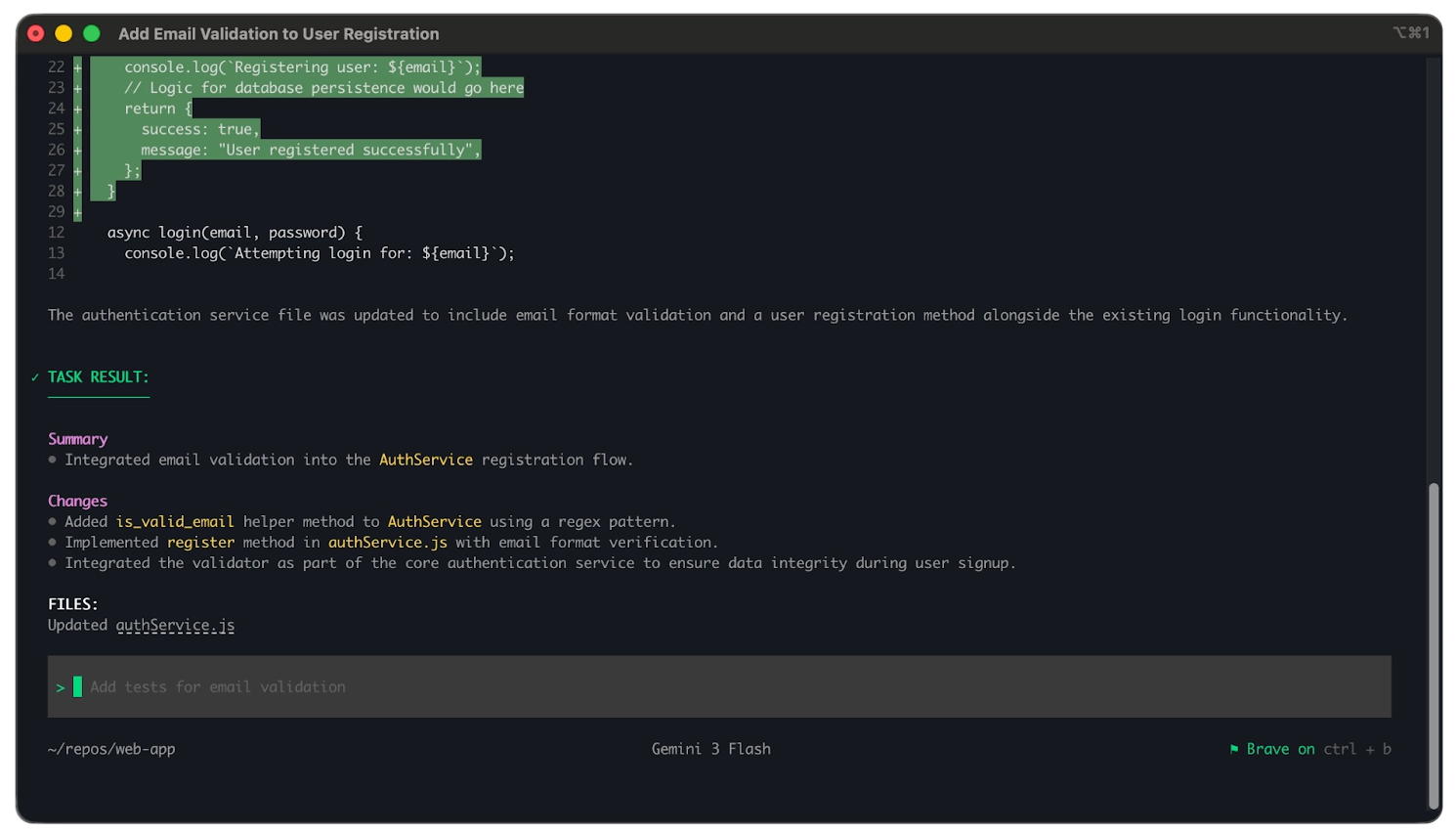
Image 4. Junie summarises outcomes and prompts for the next step (Image source – JetBrains)
Rollout notes
If you want to try these updates without creating noise, keep both pilots narrow.
For Recap and Insights, treat the separate plugin as a feature flag. It is opt-in for a reason. Validate the signal-to-noise ratio with a small group first, and keep an eye on quota usage if that matters for your environment.
For Junie CLI, the one-week free window is an obvious time to test fit. Decide upfront whether BYOK is required by policy and which models are acceptable. Either way, keep the same hygiene you’d apply in the IDE: small changes, reviewable diffs, clear ownership.
How Neos can help
We handle JetBrains licensing and renewals – including JetBrains AI subscriptions – so access and renewals stay tidy across your teams.
otherTech Blog
01
 02
02
 03
03
 04
04
 05
05
In the news
February updates – Java-to-Kotlin conversion in VS Code, plus modern Go output from AI agents
27.02.2026
In the news
January updates – Codex arrives in JetBrains IDEs, plus the CLion 2026.1 roadmap
29.01.2026
In the news
JetBrains December updates – Unified IntelliJ IDEA, CLion 2025.3, Scala Plugin 2025.3, and Junie in AI Chat
16.12.2025
In the news
Gemini 3 Pro in JetBrains IDEs – what changed, why it matters, how to roll it out
27.11.2025
In the news
Product updates – IntelliJ IDEA 2025.2.4 and MPS maintenance releases