

get in touch


For engineering teams, January brings two updates from JetBrains – Codex becomes a selectable agent in the IDE’s AI chat, and CLion sets a stability-first course for 2026.1 with work on language support, Bazel and embedded flows. Here is your summary of what changed, why it matters and how to roll it out without fuss.
Codex in JetBrains IDEs – what’s new
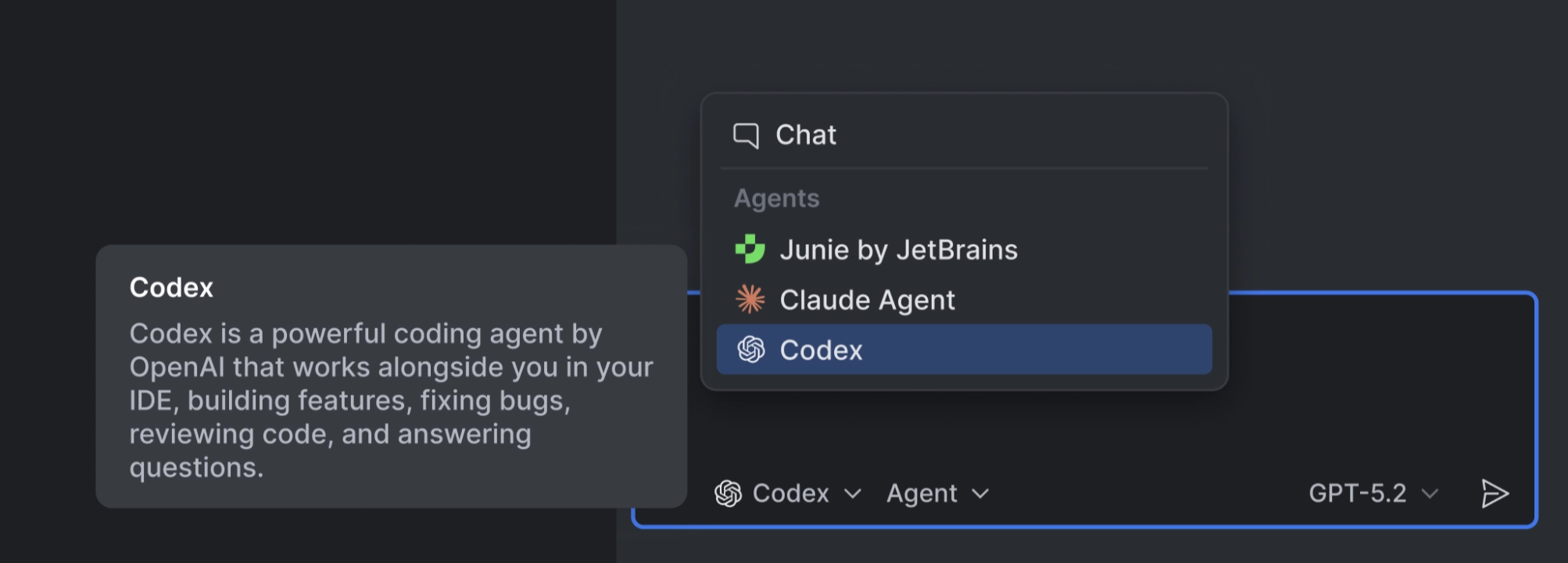
Codex is now a first-class agent inside the AI chat from version 2025.3. You pick it from the agent selector, stay in the same panel developers already use, and work against the project in context. Authentication is flexible: use Codex via a JetBrains AI subscription, sign in with an existing ChatGPT account, or connect your own OpenAI API key.
There is also a time-limited promotion. When accessed via JetBrains AI, Codex is free for a limited time starting 22 January, including the free trial or free tier. After promotional credits are used, Codex remains available and draws from your AI Credits, which you can track in the JetBrains AI widget. The free offer does not apply when using a ChatGPT account or an OpenAI API key.
Image 1. Codex is selectable inside the AI chat. Image source: JetBrains
You can tune how Codex operates. In the AI chat you decide how much autonomy to grant – from prompt-only interactions to allowing network access and command execution. You can also switch between supported OpenAI models and adjust the reasoning budget, trading depth against speed and cost per task.
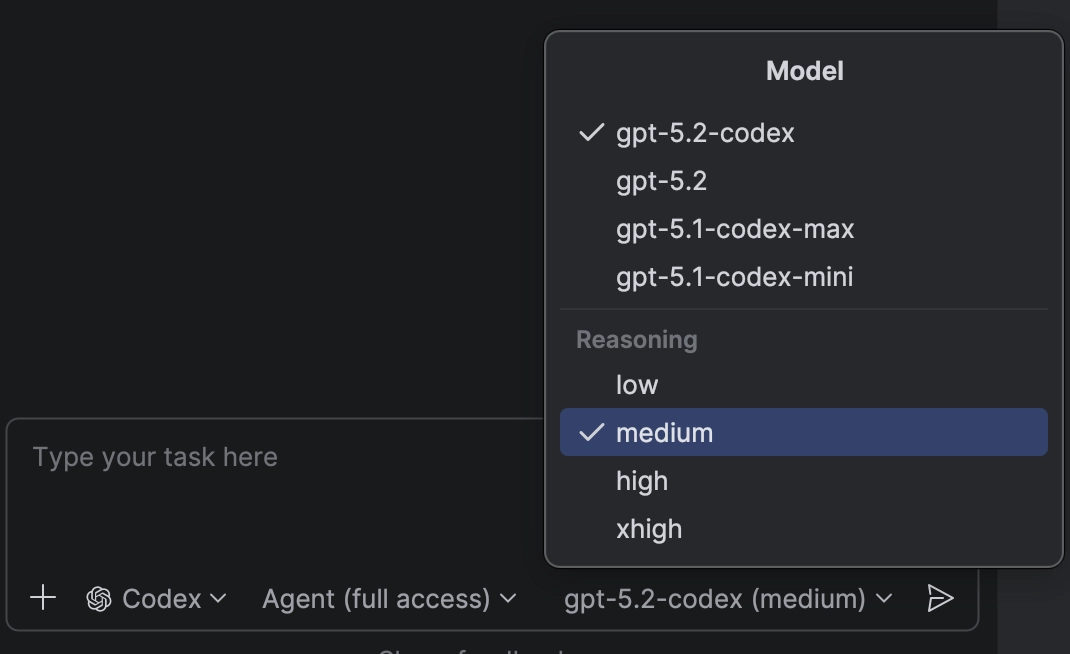
Image 2. Pick the model and reasoning depth per task. Image source: JetBrains
Getting started
Make sure you’re on 2025.3 or later and have the latest AI Assistant plugin. Open the JetBrains AI widget in the top right, click Let’s Go, then use the agent selector to choose Codex. If you’re new to AI chat, JetBrains’ docs provide a step-by-step guide.
Why this matters
Because it lives in the IDE, Codex fits existing review and governance. Prompts, diffs and agent actions stay close to code, which keeps PRs small and reviewable. The free period lowers the barrier for a pilot, while BYOK and ChatGPT sign-in help teams with stricter procurement or data-path requirements.
CLion 2026.1 roadmap – maintenance with impact
JetBrains plans to ship 2026.1 in March with a focus on fixes and maintainability rather than headline features. In language support, CLion adds non-standard Clang blocks and GCC nested functions, improves code folding, and refines navigation pop-ups. The Constexpr Debugger gets further polish. Unit testing aims to decouple from CMake so other project formats can benefit from full test features.
On build tools, the Bazel plugin continues to evolve with Starlark REPL in the IDE, an execlog parser for advanced analysis, support for configuration transitions, and performance work such as a header cache optimised for CLion. The Windows installer is being slimmed down to accelerate updates. Embedded development gets configuration profiles for West projects and better code insight for complex multi-part setups, plus a dedicated OpenOCD debug server. DAP integration is being tightened, including TCP connectivity. JetBrains notes the roadmap is preliminary, so items can shift.
Rollout notes
Pilot Codex with a small cohort while the free period is active. Decide where to leave Auto and where to pin a specific model, then document your default permissions for agent autonomy. Keep PR hygiene in place – treat AI output as authored code, keep changes incremental, and ensure prompts and diffs remain visible for review.
For CLion, brief teams that this cycle prioritises stability. If you rely on Bazel features such as configuration transitions or execlog analysis, plan a short validation pass against CI and local toolchains. Embedded teams should review West profiles and the OpenOCD server once the EAP lands.
How Neos can help
We handle JetBrains licensing and renewals – aligning subscriptions, consolidating seats, and timing upgrades or trials so adoption is smooth across your teams. If you need to align JetBrains AI access for the Codex pilot or regularise seats ahead of CLion 2026.1, we can sort the paperwork and timing.
otherTech Blog
01
 02
02
 03
03
 04
04
 05
05

In the news
February updates – Java-to-Kotlin conversion in VS Code, plus modern Go output from AI agents
27.02.2026
In the news
JetBrains December updates – Unified IntelliJ IDEA, CLion 2025.3, Scala Plugin 2025.3, and Junie in AI Chat
16.12.2025
In the news
Gemini 3 Pro in JetBrains IDEs – what changed, why it matters, how to roll it out
27.11.2025
In the news
Product updates – IntelliJ IDEA 2025.2.4 and MPS maintenance releases
31.10.2025
In the news
IntelliJ IDEA, Rider and ReSharper 2025.2.2 – practical fixes, smoother upgrades and AI that gets out of your way