

get in touch


Java moves quickly. With a new JDK arriving every six months, keeping up with Java is no longer something development teams deal with only during occasional major upgrades. New runtime improvements arrive, experimental language features mature and others move into production – while the applications developers maintain still need to remain stable.
Java 27, released on 15 September 2026, is a good example. It introduces nine JEPs: four final features, four preview features and one incubator feature. But the useful question for development teams isn’t simply what’s new. It’s what matters now, what is still evolving and how to stay current without disrupting the development workflow.
Not everything in Java 27 is equally ready
Java 27 includes four final features. G1 becomes the default garbage collector in all environments, Java adds post-quantum hybrid key exchange for TLS 1.3, compact object headers become the default and Java Flight Recorder gains in-process data redaction.
Alongside them are four preview features and one incubator feature. Preview features are available for developers to test before they become a permanent part of Java, while incubator APIs are more experimental and may change significantly.
So adopting a new JDK does not mean adopting everything it contains. For teams, staying current increasingly means understanding which improvements can be used immediately and which are better treated as experiments.
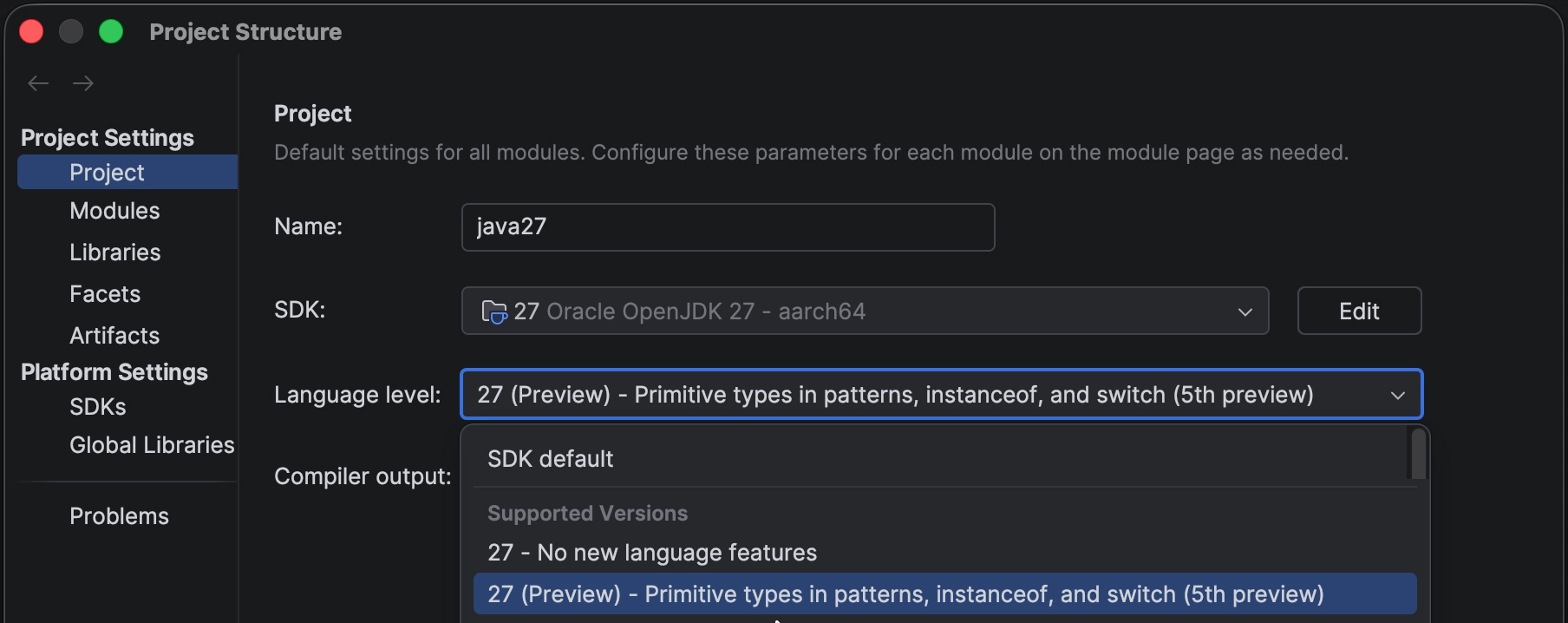
IntelliJ IDEA supports Java 27 from day one and provides separate language levels for standard Java 27 and Java 27 with preview features enabled. When preview features are used, the IDE highlights them in the editor so developers can see where experimental functionality has entered the codebase.
Image 1 – IntelliJ IDEA clearly identifies when Java 27 preview features are enabled, helping developers keep track of language functionality that is still evolving. (Source: JetBrains Blog)
That distinction is increasingly useful as Java continues to evolve on a six-month cadence.
Some of the biggest improvements happen underneath the application
Not every important Java 27 change introduces new syntax.
Compact object headers are now the default in HotSpot. On 64-bit architectures, they reduce object headers from 96 bits to 64 bits, which can reduce memory footprint and improve data locality. JetBrains says its IDEs already use the feature and have observed consistent memory savings.
G1 follows a similar pattern. It has been Java’s default garbage collector since Java 9, but systems with only one CPU or very limited memory previously fell back to Serial GC. Java 27 removes that exception and makes G1 the default in all environments.
Security also improves at the platform level. Java 27 adds post-quantum hybrid key exchange for TLS 1.3, aimed at protecting encrypted traffic against future quantum decryption, while Java Flight Recorder can now redact sensitive command-line arguments, environment variables and system properties before they are recorded.
These are useful reminders that progress in Java is not limited to language features. The runtime, diagnostics and security foundations continue to evolve too.
Staying current should not mean constantly reconfiguring your environment
There is another side to adopting a new Java version: getting the development environment aligned.
Developers need the correct JDK installed, the project needs to use it and build tools, terminals and run configurations need to agree about which Java version is active. Those details can become surprisingly disruptive when different projects use different JDKs.
IntelliJ IDEA can download JDK 27 directly from the project settings or use an existing local installation. For developers using SDKMAN! or asdf, it can read .sdkmanrc and .tool-versions files and configure an already-installed JDK automatically.
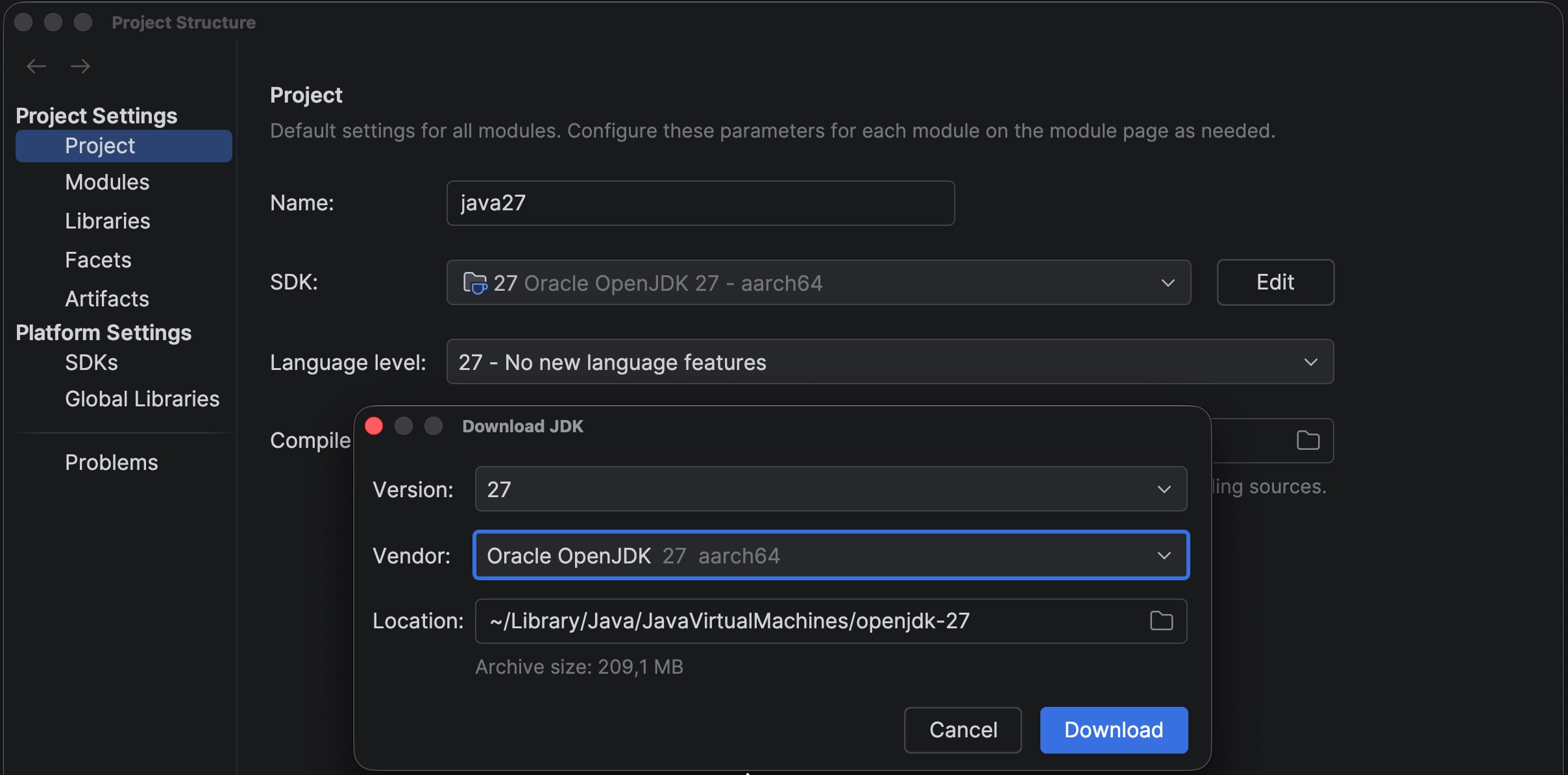
Image 2 – IntelliJ IDEA lets developers download JDK 27 and choose the JDK vendor directly from the project settings (Source: JetBrains Blog)
The configured project JDK is also propagated to the IntelliJ IDEA terminal, which means both the developer and an agent operating through that terminal use the project’s intended JDK.
This is where the broader value of development tooling becomes clearer. Reducing friction is not only about writing code faster. Sometimes it means removing the small configuration problems surrounding the code.
Java 27 even includes a debugger improvement that makes stepping faster, and JetBrains has already backported the fix to JetBrains Runtime 25 for use while debugging IntelliJ IDEA itself.
Preview features still matter – even when you don’t use them in production
Java 27 continues several experimental features, including lazy constants, primitive types in patterns, structured concurrency and PEM encodings of cryptographic objects. The Vector API also remains an incubator feature.
Teams may choose not to use these in production yet, but that doesn’t make them irrelevant. Preview features provide an early view of where Java is heading and allow developers to evaluate upcoming changes before they become part of a future release they do intend to adopt.
Structured concurrency is a good example. It treats groups of related tasks running in different threads as a single unit of work, with the aim of making concurrent code easier to understand and manage. IntelliJ IDEA includes assistance for working with it, including a live template for scaffolding a StructuredTaskScope.
That is a useful distinction: supporting a new Java version is not only about accepting its syntax. It is also about helping developers understand and explore the features around it.
Keeping up with Java is not the same as adopting every release
Java 27 isn’t an LTS release, and many teams may have no reason to move production workloads to it immediately.
But keeping up with Java and adopting every Java release are not the same thing.
The six-month release cadence gives developers a continuous view of where the platform is heading. Stable runtime improvements can become available, preview features can be evaluated before they are final and teams can prepare for changes before they arrive in a future release they do intend to adopt.
Java 28 is already on the horizon, with Project Valhalla features such as value objects and strict field initialisation targeted as preview features.
The development environment has to keep pace with that cycle too. Because when the platform evolves every six months, staying current with Java should become part of the normal development workflow – not a disruption to it.
otherTech Blog
01
 02
02
 03
03
 04
04
 05
05

Tech Blog
IntelliJ IDEA goes LSP – what happens when IDE intelligence stops being tied to the IDE?
31.08.2026
In the news
The next stage of AI development isn’t smarter models – it’s better coordination
23.07.2026
In the news
The real shift in AI coding agents is workflow, not model choice
30.06.2026
In the news
Small changes, less friction – recent JetBrains updates worth knowing about
26.05.2026
In the news
CLion 2026.2 is focused on the work around the code